Updates & feedback
Update checks and feedback submission are the two application support workflows that contact GDDKit services.
Check for updates
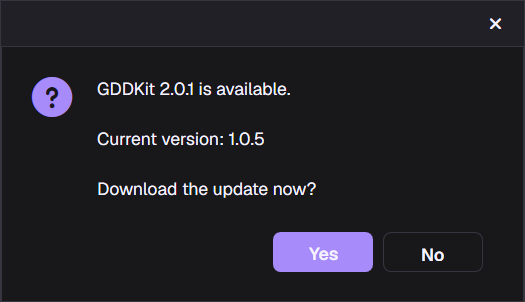
Use Help → Check for Updates, or open Workspace Settings and select Check Now.
For a supported release package, GDDKit:
- checks the channel assigned to the platform and architecture;
- reports that the application is current, or offers the target version;
- asks whether to download;
- downloads only after approval;
- asks whether to restart and apply the ready update.
If you choose Later, continue working and apply it on a later check/restart prompt.
Automatic checks
When enabled, the application checks silently at startup. “Automatic updates” means automatic checking, not unapproved background installation.
Platform channels
Windows x64, Linux x64, macOS Apple Silicon, and macOS Intel use separate feeds. Do not install a package for another architecture merely because it has a higher visible version.
For the current stability-fix details, read the official GDDKit 2.0.1 release notes.
Submit feedback
Open Help → Submit Feedback or use the feedback action from the home/workspace UI.
Choose:
Bug Reportfor unexpected or broken behavior;Feature Requestfor a proposed capability or workflow improvement.
The form requires a title and description. Name and email are optional.
Attach a screenshot
You can capture the current application window or choose an existing file. For a chosen file, use PNG in released v2: the picker also lists JPEG, BMP, and GIF, but the upload labels every attachment as PNG, so another format may be rejected or misread by the service. The attachment must be smaller than 900 KB.
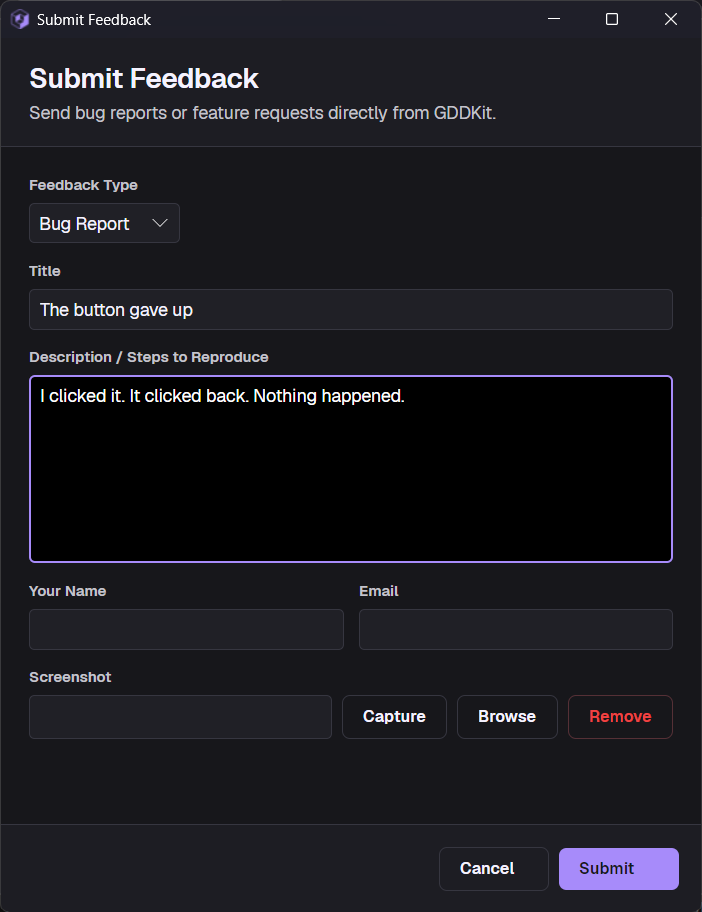
On submission, GDDKit sends the selected type, title, description, optional name/email, and optional screenshot to gddkit.com. An internet connection and access to that service are required.
Write a useful bug report
Include:
- GDDKit version from About;
- operating system and architecture;
- operating system package type;
- exact steps to reproduce;
- expected and actual result;
- whether the issue occurs in a new test project;
- a minimal Mermaid block or asset detail when relevant;
- whether updating to the latest 2.x build changes the result.
Avoid attaching the full project unless a trusted support workflow explicitly asks for it. A small fictional reproduction is safer and faster to diagnose.