
Search & keyboard shortcuts
Cross-section search helps keep terminology, values, and unresolved notes consistent across a long GDD.
Search the project
- Press Ctrl + F or open the search control.
- Enter at least two characters.
- Review each result’s section name and surrounding snippet.
- Select a result to open its section and highlight the match in the editor.
- Press Esc to close search and return focus to the editor.
Search is case-insensitive and treats the query as literal text. It scans current section Markdown across the project; it does not search project metadata or changelog entries.
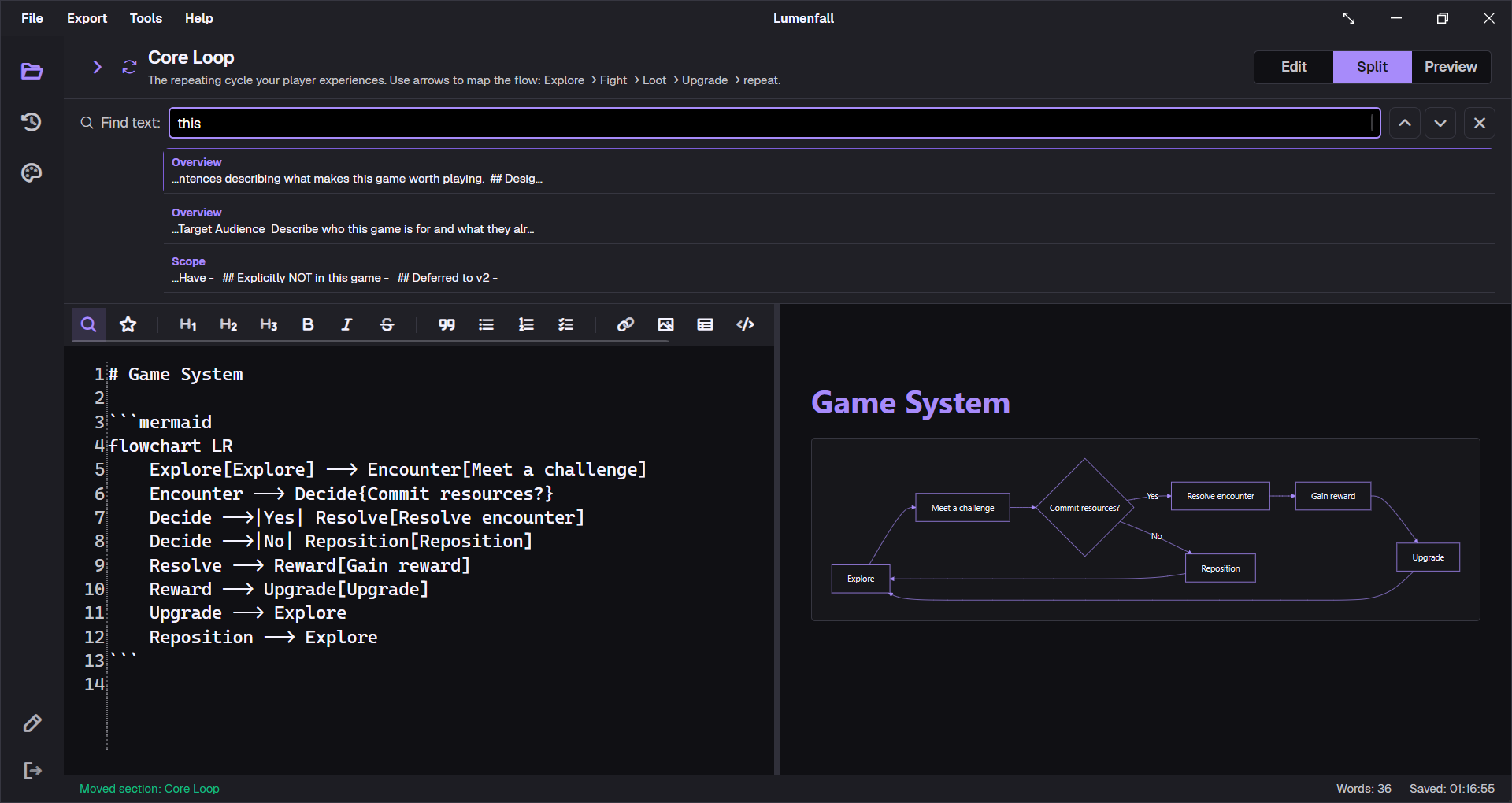
Search controls
| Key | Search behavior |
|---|---|
| ↑ / ↓ | Move through result choices. |
| Enter | Open the selected result, or the first result when none is selected. |
| Esc | Close search and focus the editor. |
Because the search is literal, a query such as player.*speed looks for those exact characters rather than using a regular expression.
Global and workspace shortcuts
| Shortcut | Action | Context |
|---|---|---|
| Ctrl + N | Create a new project | Anywhere in the main window; checks unsaved work first. |
| Ctrl + O | Open an existing .gddkit project | Anywhere; checks unsaved work first. |
| Ctrl + S | Save the current project | Open workspace. |
| Ctrl + W | Close the workspace | Open workspace; prompts for dirty changes. |
| Ctrl + E | Cycle Edit → Preview → Split | Open workspace. |
| Ctrl + F | Open cross-section search | Open workspace. |
Editor shortcuts
| Shortcut | Action |
|---|---|
| Ctrl + B | Apply or insert bold Markdown. |
| Ctrl + I | Apply or insert italic Markdown. |
| Ctrl + K | Insert a Markdown link. |
| Ctrl + V | Paste an image file, clipboard bitmap, or text. |
| Ctrl + X | Cut selected text. |
| Ctrl + C | Copy selected text. |
| Ctrl + A | Select all editor text. |
Practical consistency passes
- Search the project title and make sure naming is consistent.
- Search units such as
ms,seconds,meters, or currency symbols. - Search
TODO,TBD,FIXME, and unchecked task syntax- [ ]before a milestone export. - Search old feature names after a redesign.
- Search a key accessibility term to confirm it appears in UI, controls, and technical sections where relevant.
Search returns one result per occurrence, so a common word can produce a long list. Use a distinctive phrase when auditing a specific decision.