
Markdown editor
Each GDDKit section is Markdown text. The editor keeps the source readable while the live preview and exporters turn it into structured output.
Formatting toolbar
| Control | Inserted or applied Markdown | Notes |
|---|---|---|
| H1 / H2 / H3 | #, ##, ### | The exporter already creates a section heading and removes one leading H1 from section content. Prefer H2 for subsections. |
| Bold | **text** | Ctrl + B in the editor. |
| Italic | *text* | Ctrl + I. |
| Strikethrough | ~~text~~ | Useful for explicitly cut scope items. |
| Quote | > text | Use for design principles, references, and decisions. |
| Bulleted list | - item | Applies to selected lines. |
| Numbered list | 1. item | Selected lines are renumbered in sequence. |
| Task list | - [ ] item | Preview and PDF show checklist state. |
| Link | [label](https://…) | Ctrl + K. |
| Image |  | Copies a supported file into the project images/ folder. |
| Table | Pipe table | Starts a three-column example. |
| Inline code | `value` | Best for identifiers, keys, and literal values. |
| Code block | fenced csharp block | Change the language label to match the example. |
| Divider | --- | Separates major ideas; use sparingly. |
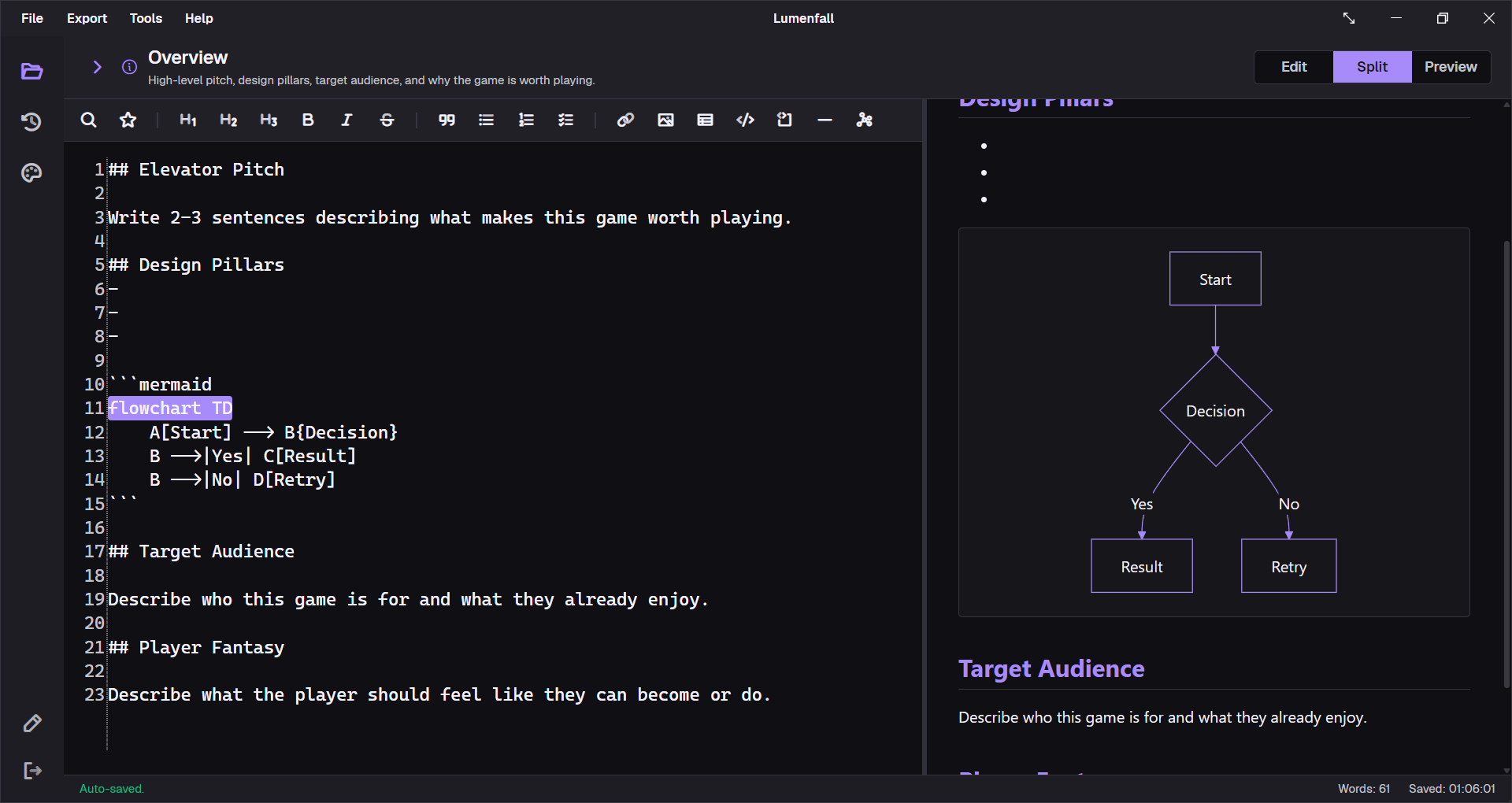
| Mermaid | fenced mermaid block | Opens a menu of eight diagram templates. |
A section pattern that exports well
## Design goal
Explain the intended player outcome in one paragraph.
### Rules
- The action consumes one stamina point.- The player can queue one follow-up action.- [ ] Validate the controller timing at 30 fps.
### Tuning values
| Parameter | Prototype | Target || --- | ---: | ---: || Recovery | 0.45 s | 0.30 s || Buffer | 120 ms | 160 ms |
> Decision: readability wins over maximum input speed.
Use one idea per paragraph, descriptive headings, and compact tables. A GDD is easier to review when a reader can scan decisions separately from background reasoning.
Preview and PDF support
The shared, reliable authoring set includes:
- H1–H6 headings and paragraphs;
- bold, italic, strikethrough, and inline code;
- ordered, unordered, nested, and task lists;
- pipe tables with alignment;
- blockquotes, fenced code blocks, and horizontal rules;
- standalone Markdown images;
- Mermaid blocks;
- styled link text.
The preview may display web-oriented Markdown or raw HTML differently from the PDF renderer. Raw HTML is not treated as a mini web page in PDF export and may be shown as readable text or code instead.
Heading rules
GDDKit creates the visible section title in Markdown and PDF exports. When the section content begins with an H1, that first H1 is removed during export to avoid a duplicated title.
Recommended hierarchy:
- section name supplied by GDDKit;
- H2 for major topics inside the section;
- H3 for subdivisions;
- H4 only when a long technical section genuinely needs it.
Do not use heading level only for visual size. Consistent hierarchy improves the PDF table of contents and reviewability.
Links
HTTP(S) and mail links can open through the operating system from the live preview. In exported PDFs, link text is styled, but v2 does not guarantee a clickable PDF hyperlink annotation. Include a visible short URL when clickability matters to the recipient.
Code and technical specifications
Use fenced blocks for code, data, formulas, or configuration:
```csharpif (stamina > 0){ player.Dash();}```Keep extremely long lines out of code blocks; PDF pages are fixed-width A4. For large schemas, link to the source repository and document the design contract rather than pasting an implementation file.
Common formatting mistakes
- A table is too wide: split it into two tables or shorten cell prose.
- The PDF repeats a section title: remove the leading H1 or convert it to H2.
- An image becomes text in PDF: put the image Markdown on its own paragraph; see Images.
- A Mermaid block is plain code: the opening fence must start with three backticks followed immediately by
mermaid. - Raw HTML differs in export: replace it with supported Markdown.
- A selected list formats oddly: ensure the selection covers complete lines, then apply the list control again.